



CASHIER
Wallet status
Open the cashier to see whether DANA, OVO, GoPay or QRIS is available for your account. Each submitted request stays tied to its displayed status and transaction reference.
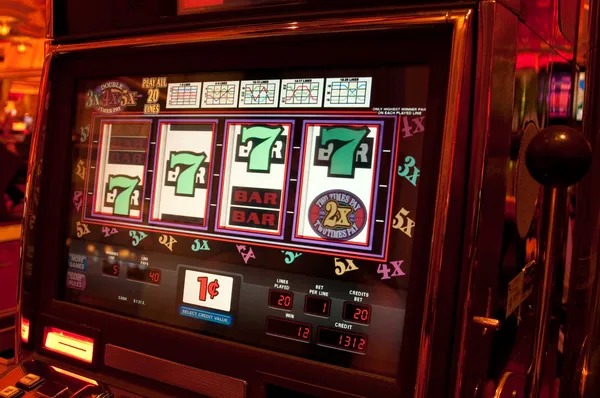
mintoto puts Speed Blackjack Live, VIP Baccarat Circle, slots and sportsbook markets behind one verified account, with local wallet status kept close…

Slots sit beside streamed tables, fishing rooms and sportsbook markets, giving your account a direct route between each lobby area.
Pragmatic Play, PG Soft and Habanero appear alongside regional studios, giving you recognisable slot interfaces and clearly separated studio filters within our Home lobby.
The cashier presents DANA, OVO, GoPay and QRIS as distinct local routes, so you can select the wallet you actually use rather than guessing from a…
Some Home links matter before you enter a game. The cashier explains wallet and bank status, game pages expose rules, the profile shows verification state, and footer links…
Open the cashier to see whether DANA, OVO, GoPay or QRIS is available for your account. Each submitted request stays tied to its displayed status and transaction reference.

Open a game page before starting to inspect its rules, stake controls and available result details. Live tables also show table state before you choose a seat.

Your profile shows whether phone verification and requested account checks are complete. If a detail needs attention, follow the prompt there rather than creating another account.

Footer links keep current terms and privacy wording within reach from Home. Read them before opening an account, especially the sections covering eligibility, account checks and data handling.
Opening the Home begins with a short account form and phone verification before account access.
Enter the requested account details, complete phone verification and use the confirmed account path to reach Home. We keep the form separate from the lobby so each required field is clear.
Use your own phone number and keep your profile details accurate. Matching details help us handle account access checks and later withdrawal verification without sending you through unrelated pages.
Your account opens casino and slots, streamed dealer tables, fishing rooms and sportsbook markets for football, badminton and basketball. Availability depends on local law and the content shown for your region.
Choose a private password, avoid sharing verification details and sign out after using a shared device. Our Home keeps account controls within the profile menu so you can find them again.
The mobile Home keeps login, lobby search, game categories and account status within one browser path.

Account protection starts before the lobby opens. Phone verification confirms the contact path attached to your profile, while a private password protects later access.
Complete the displayed phone check before account access. A confirmed contact path helps us distinguish your request when login details, cashier status or profile checks need attention.
Use a password that you do not reuse elsewhere and never send it through chat or email. Sign out when you finish on any phone or computer shared with others.
Keep your profile and transaction details accurate. Withdrawal verification may compare submitted details with the account record, reducing confusion when a name, phone number or banking detail differs.
Read the rules and controls attached to the selected title before entering. Studios can use different mechanics, table conditions and result displays even within the same game category.
A single brand Home gives you current game cards, account state and cashier status in one browser session.
| Current Home | Our Home loads the active casino, live-table and sportsbook areas tied to your account and region. A saved image cannot show whether a game or account route remains available. |
|---|---|
| Direct game rules | Game cards link to the rules and controls supplied for that title. Offline descriptions may omit studio versions, table conditions or changes visible inside the current game interface. |
| Account state | Your profile displays phone verification and requested account checks in context. Separate messages or handwritten details do not replace the state shown against the account itself. |
| Cashier status | Submitted wallet and bank requests remain connected to their account status and reference. Verbal updates from outside the site cannot change or confirm the transaction state displayed there. |
| Support record | Chat and email cases create a route for follow-up using the supplied reference. A conversation away from our help area may not give us enough account context to investigate. |
| Policy wording | Footer links provide the current terms and privacy wording attached to Home. Printed extracts or old screenshots may not contain the conditions presented when you access the account. |
Return-to-player data is game-specific, so we do not assign one figure to the entire Home. Open the details supplied with an eligible slot to inspect its displayed value and rules.

Check the individual game details for any displayed return value, feature rules, paylines and stake controls…
Inspect the table rules, available stake range, current shoe display and result history supplied within the…

Read the table rules for dealer actions, side selections and stake controls because conditions can differ…
Confirm the multiplier mechanic, timing controls and round history shown by the selected crash title before…
Use the title-specific help panel to understand controls, target behaviour, stake use and any features attached…
RTP percentages are informational reference values from provider documentation. Actual session outcomes vary.
Our Home is configured for Indonesia with DANA, OVO, GoPay, QRIS and local bank context visible where supported. You can open the browser-based lobby from a phone, tablet or computer without a separate installed application. Account access depends on local law, the region detected for your connection and completion of the displayed eligibility checks. If a lobby area is unavailable, use the help path rather than attempting to bypass the restriction.
Six visible elements shape the Home experience: account verification, mobile slot search, streamed dealer tables, local sportsbook categories, cashier status and nearby support.
These answers cover the questions people commonly ask before opening an account from our Home: what the lobby contains, how phone verification works, which Indonesia wallet routes appear and where help sits. They also explain mobile behaviour and regional access using the same operational paths visible on the page, without adding conditions that are not displayed against your account.
Begin with the account menu to confirm phone verification and profile state. Move to casino and slots for searchable game cards, or open live tables for streamed baccarat and blackjack.
Check phone verification, profile details and any requested account action before entering the lobby. This is also the route for signing out after using a shared device.
Use search and category filters to find slots, crash titles, fishing rooms or live tables. Open the selected card to inspect rules and controls before entering.
Choose the named wallet, virtual account or bank transfer option that matches your intended transaction. After submission, keep its receipt and follow the displayed status before trying again.
Use footer links for terms and privacy wording, or open help for chat, email and mobile assistance. Keep account and transaction references ready when requesting a status check.